Better Prep · Practical guide
How to Compare Replacement Parts Before Buying a New Appliance
In this guide Jump to a section
- Before-order part record
- Record the appliance before shopping
- Begin with the manufacturer’s route
- Separate compatibility from resemblance
- Read what the package contains
- Identify the installation boundary
- Compare the full practical option
- Check the order before paying
- Verify the arrival against the record
- Make future maintenance less repetitive
- Separate an accessory upgrade from a repair
Compare replacement parts by the appliance’s complete model number, the manufacturer’s approved part identifier, and the supported installation method. A similar shape or a listing that mentions the brand is not enough to establish compatibility.
You can make a more useful repair-or-replace decision after you know exactly what the part includes and what restoring the appliance would require. Start with identification, then compare the complete option with the kitchen job you still need to do.
Before-order part record
| Record | Where to verify it |
|---|---|
| Complete appliance model and revision | Accessible identifying label / maker support |
| Approved replacement identifier | Manufacturer compatibility lookup or written reply |
| Included components | Exact selected package description |
| User replacement or authorized service | Exact manufacturer instructions |
| Unresolved mismatch | Keep visible until the maker or seller resolves it |
Record the appliance before shopping
Locate the model and serial information through the manufacturer’s instructions, with the appliance disconnected and safe to handle where required. Do not remove restricted panels just to look for an identifying label.
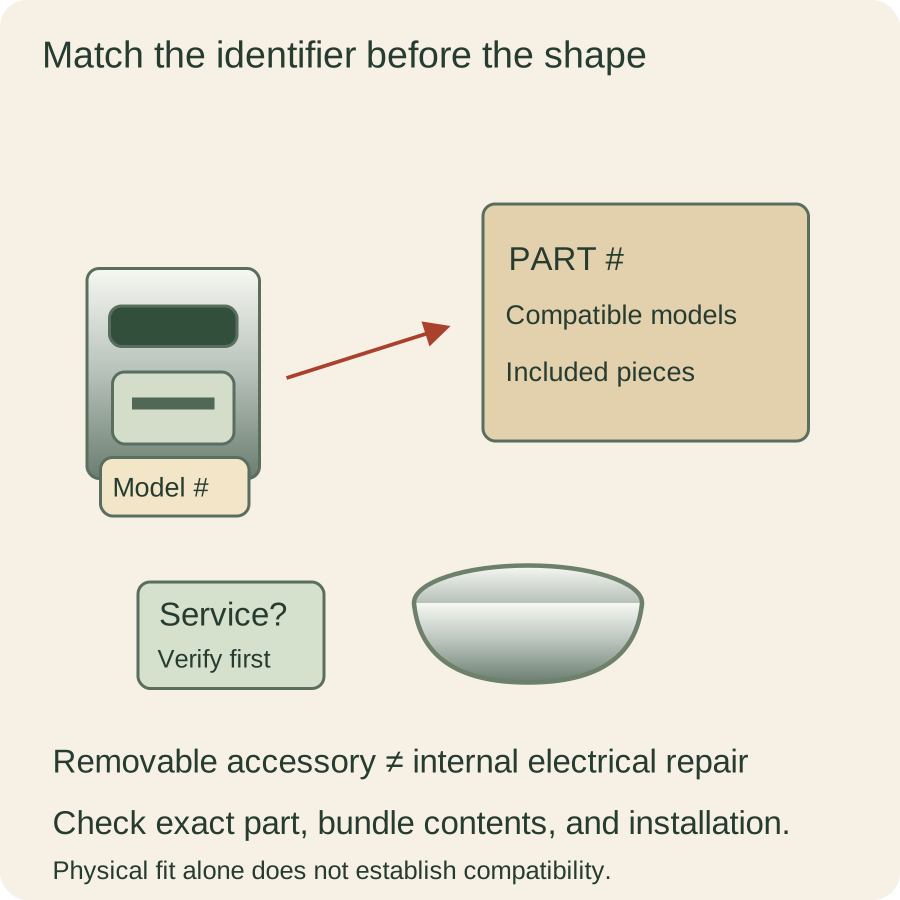
Copy the full identifier rather than the large family name printed on the front. Suffixes and revisions can matter to the maker’s lookup even when two appliances look nearly identical on the counter.
Photograph the accessible label clearly enough to read later. Keep purchase information and warranty status alongside it so you can ask support a precise question without searching through several unrelated records.
Describe the part’s role in ordinary language, such as the removable bowl lid or the carafe assembly. That description helps you communicate, but it should not replace the actual part identifier in your final order.


Begin with the manufacturer’s route
Use the maker’s support or replacement-parts page to find the correct lookup method. KitchenAid’s US parts guidance, for example, directs users to search by model number or part number rather than a general photograph of an appliance.
Check whether the manufacturer directs a warranty question to support before a separate purchase. A part available for sale does not mean buying it yourself is the appropriate first response for an appliance still under coverage.
Follow the actual product category in the support system. A countertop appliance, major appliance, and licensed kitchen tool can have different support routes even when the familiar brand name is the same.
If the lookup is unclear, ask support to confirm the exact part for your full model. Keep their answer with the appliance record rather than treating a retailer’s broad search match as the final authority.
Separate compatibility from resemblance
Compare the listed model coverage with your actual identifier, including any conditions the manufacturer specifies. Do not assume an omitted model is covered because its photograph has the same color or dimensions.
Look for the approved connection, seal, lid, and accessory arrangement when those details are relevant. A component that appears to attach physically may still be unsuitable for the appliance’s intended operation.
Avoid modifying a part to make it fit. Filing a tab, forcing a seal, or bypassing a lid switch changes the configuration you are trying to verify and can cross the manufacturer’s repair boundary.
Ask about a superseded part number if the old identifier no longer appears. A documented replacement relationship is useful; a listing that merely calls itself an upgraded version is not the same evidence.
Read what the package contains
Find out whether the listing covers an individual component or a complete assembly. A picture may show a lid with several pieces even when the purchase includes only the outer lid or one separate seal.
List the components you already have and which ones remain approved for use. You should not discover after delivery that the new part requires another compatible piece you planned to discard.
Check the condition and source of the part, including whether it is the manufacturer-specified option you intended to compare. Keep those distinctions visible instead of treating every result with the same approximate name as interchangeable.
Confirm that the package description and the part identifier agree. When a title, compatibility table, and photograph conflict, resolve the mismatch before ordering rather than choosing whichever detail supports your assumption.
Identify the installation boundary
Read whether the maker supports user replacement of the specific part or requires authorized service. A removable accessory and an internal electrical component are different jobs even when both appear in a parts catalog.
Do not treat access to a part for sale as instruction to open an appliance’s housing. Follow the manufacturer’s service requirements and use a qualified provider when the documented repair calls for one.
Include any required fitting, inspection, or setup in your comparison. The cost of a bare component is not the cost of the supported repair if additional work is necessary before the appliance can return to use.
If the original problem involves a damaged cord, repeated malfunction, or another stop-use condition, follow the relevant safeguards first. A promising part search should not become a reason to continue operating an unresolved appliance.
Compare the full practical option
Write down the part cost, delivery, service if required, expected wait, and the specific problem the repair is meant to solve. Keep uncertain figures labeled uncertain rather than turning a rough search result into a firm quote.
Compare that option with replacing the appliance you actually need today. Include size, accessories, and normal tasks, so the comparison does not pair a complete repair with the cheapest unrelated machine you can find.
Consider whether the rest of the appliance still suits your kitchen. A supported replacement part can be sensible, but it does not solve an unrelated capacity problem or a routine you already find difficult to use.
Avoid using the original purchase price as the only reason to repair. The useful question concerns the money, effort, and suitable service still ahead, with the manufacturer’s supported use as a requirement.
Check the order before paying
Put the appliance identifier, approved part number, and package contents beside the final listing. Confirm the exact variant selected rather than assuming an earlier search result carried through unchanged.
Read return conditions and any restrictions that matter to an unopened or installed part. Do not plan to test several uncertain look-alikes through operation as a substitute for establishing compatibility first.
Keep the seller’s description and the manufacturer’s confirmation with your order record. If something different arrives, those details give you a clear basis for explaining the mismatch.
This comparison can remain entirely research-based until you have the answers you need. You do not have to make an immediate purchase just because the lookup finally produced a product page.
Verify the arrival against the record
Compare the delivered identifier and components with the order before installation. If they differ, seek clarification instead of assuming the replacement is simply a newer version of the same thing.
Follow the manufacturer’s instructions for any permitted assembly and first use, including required checks. Do not apply the old component’s routine blindly if the supported replacement comes with updated instructions.
Keep the original problem description in view after the supported work is complete. If the issue remains, follow support’s next step rather than ordering another speculative component and continuing the same cycle.
A useful replacement-part search ends with a verified match and a clear installation boundary. Whether you ultimately repair or replace, you will be deciding from the actual appliance and supported option instead of a convincing-looking photograph.
Make future maintenance less repetitive
Save a short final note with the part number, compatible model, support answer, and date of the decision. Include whether you installed a user-replaceable accessory or arranged a service appointment, without recording guesses as completed work.
When another accessory needs attention, begin with that record and check current compatibility again. A clear history can save searching time while still leaving room for changed part numbers, availability, or updated manufacturer advice.
Separate an accessory upgrade from a repair
If the original part still works within its instructions, be clear when you are considering a different accessory for convenience. That is an optional change to your cooking setup, with its own compatibility check, rather than evidence that the appliance needs repairing.
Keeping those motives distinct helps you compare the right alternatives. You may want a replacement for a damaged required component, an approved additional bowl, or an entirely different machine, and each question starts with a different description of the job.
Sources & research notes
Documentation checked October 22, 2026. Practical examples are original planning exercises; product recommendations compare documented features.